

Venue
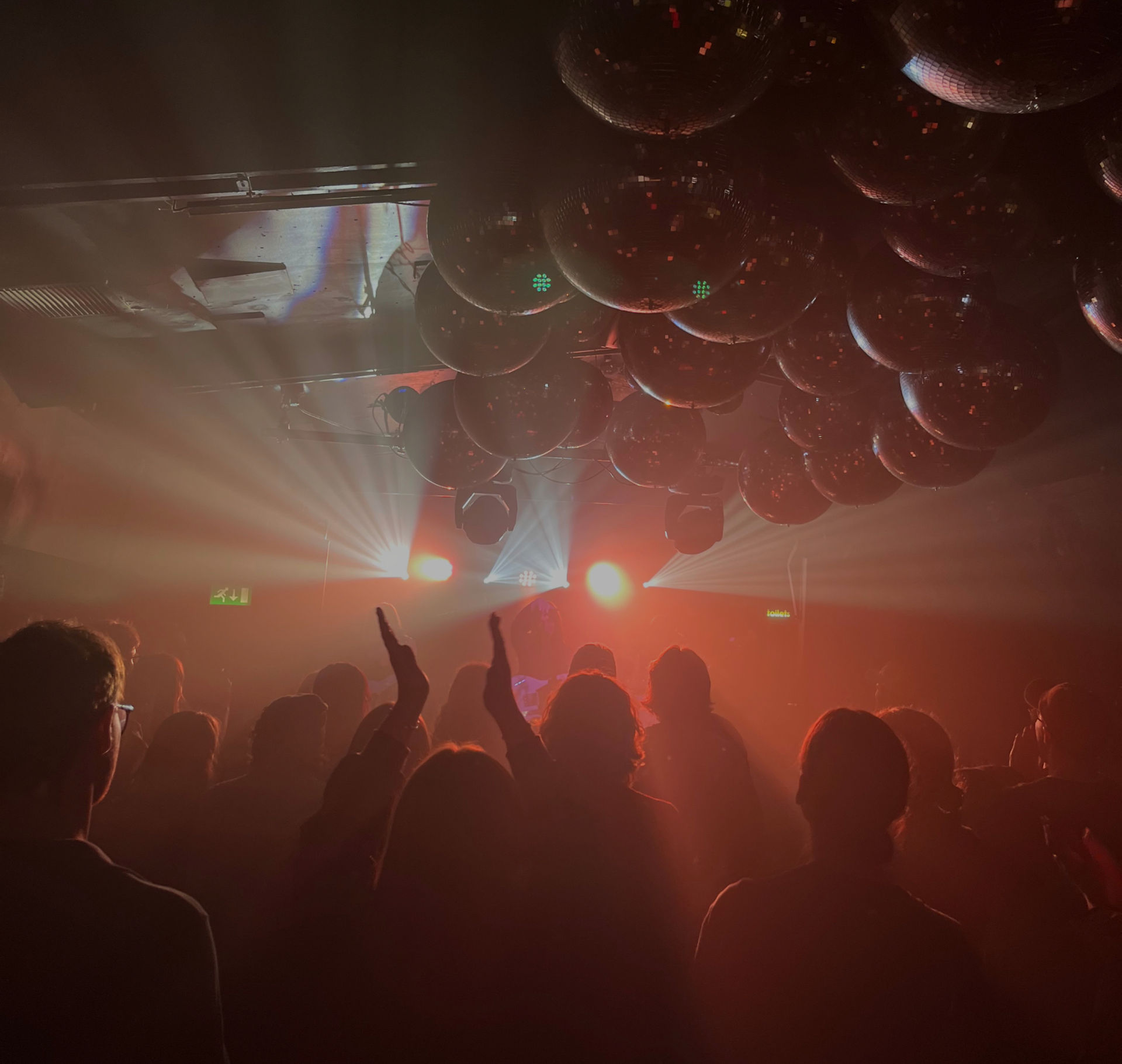
Firstly, your choice of venue to record in will greatly impact the quality of the audio you can capture. From my experience the venues that are more of a pub are not ideal. These kinds of venues are more of a social setting for many punters, and a lot of the room and crowd mics will just pick up conversations. It is also harder to gain audience participation, no matter the size of the venue.
Front of House Desk
Every venue has different Front of House desks, with different output options which will significantly affect the accessibility and reliability of a high-quality multi-track. Make sure to communicate with the venue to ensure a multi-track or mix is possible with their venue, and what will be required from you to prepare. Each venue that I recorded at had different desks and outputs creating different results:
The Social (DWR 1) used an Allen and Heath SQ5 desk and only had a USB output where the engineer manually selected the tracks to copy and record onto a USB stick. The venue did not have space for a laptop set up or a second desk. The USB stick recording was unsuccessful, as the USB was not fast enough to process all individual track at a high enough writing speed, and using a higher speed (and more expensive) drive such as an SSD will require the drive to be formatted and completely cleared for the recording. Recording straight to a drive or USB also means you won’t be able to ensure the tracks you need are being recorded properly and not having issues without the ability to constantly monitor them. I was unable to see that my recordings did not work from this show until I was home and opened the USB on my laptop.
The Grace (Betty Taylor) had an Allen and health SQ6 desk that allowed a multitrack recording to a laptop into a Digital Audio Workstation (DAW) such as Logic Pro, Ableton Live, Pro Tools etc, via USB-B to USB-A cable from the back of the desk and had space for a laptop set up.
The Northcote Social Club (DWR 2) had a DiGiCo SD12 with a UB-MADI card which enabled a multitrack via a USB cable. MADI (Multichannel Audio Digital Interface) also known as AES10 is a digital audio format developed to transmit multiple channels of audio over long distances, for functions such as broadcast or to connect multiple sound desks together (for example a FOH desk with a Monitors desk). UB-MADI is a compact interface native to DiGiCo desks that enables the playback or recording of 48 channels of audio at a sample rate of up to 96kHz (48 or 44.1 kHz are standard) to your laptop via USB from the MADI card.
The Elephant’s Head in Camden (Faith Estate) has a Mackie ProFX16 desk that only allowed for a FOH mix as a LR stereo audio track to be recorded via USB to a laptop. A LR mix is not ideal with the FOH effects committed, as the creative FOH mix decisions are made with how the room sounds and the loudness of the whole band to fill the space in mind.
The O2 Academy2 Islington (Letters To Lions) had a Soundcraft Vi6 desk when I recorded there (they have since upgraded) and the channel direct outs for a multitrack were not possible, only a LR mix via XLR cables into an audio interface. I worked with the engineer that night, who was the venue engineer, to create a mix (like you would create to send to each band member’s monitors so the mix levels can be adjusted independently) so I could then create my own custom mix that was being sent out of my 2 XLR cables into the interface. You will need to have a 2-channel input audio interface to record this way with XLRs.
I interviewed Kieran Bowdidge, a recording and mixing engineer who works on Triple J’s Live from the Wireless sessions, which are live recordings of different concerts and gigs to be played on the radio at Triple J. I spoke to him about his work with bands such as The Rions and Old Mervs. He told me he always gets a 1:1 split of the signal from the standard microphones on the stage into their own console to then be recorded into a recorder, so my original plan for the Letters to Lions show at Islington Academy was to have a separate Tascam 24 recording desk that takes a split of the direct signal. To arrange this, a separate hire of a recording desk and 24 active or passive signal splitters was required from an external company. These are accessible but will set you back £200-£300 based on what I was quoted from rental companies such as John Henries and FX Rentals in London. Additionally, most will only hire to registered businesses, so make sure you arrange possible technical hires with the venue beforehand, as you can hire them out under the venue’s name.
Additionally, I must point out that many venues may have a Dante Virtual Soundcard rather than a MADI card in their FOH desks if the venue uses Dante for digital patching. Dante stands for Digital Audio Network Through Ethernet, which does exactly that, replacing analog cable connections with an ethernet network and digital patching capabilities. To access outputs of a desk using Dante, a laptop with a Dante Virtual Sound Card license will be required (you can purchase a 30-day license for £14.39 or single machine license for your laptop for £45.59) and a cat5e or cat6 ethernet cable between your laptop and the FOH Dante port or a network switch if multiple desks or stage boxes are connected to the Dante network. The venue technician or engineer will be able to patch you into the outputs of the FOH desk via the Dante Controller matrix, but make sure a reliable person who knows the venue’s network sets this up, as interfering with the matrix incorrectly will cause connection and routing issues for devices on the network (this will be very bad!).
I also interviewed Drew Bisset, a live sound and mixing engineer, about his work on Rum Jungle’s live recording of their song ‘Coal Dust’ from The Village Underground in London that was released on YouTube. They also hired a console, but it was used as their own FOH desk that they brought to the venue that had a Dante64 Card, so they could have a digital split of the pre-amp signal directly to the Dante network. This unprocessed signal was recorded into Harrison Trax Live2 software on a MacBook Pro. This specialised multi-track recording software was built by Harrison Audio built in collaboration with Allen and Heath and SSL to use with their live desks and includes additional features for live recording such as Real Time Analyser (RTA) for frequency spectrum analysis and phase correlation meter. This software costs £29.99. He also recorded a stereo LR on a USB as a backup.
Matt Houghton from Sound On Sound in his article about recording a live show says using a recorder with enough inputs and storage to record the show is more reliable than a laptop, but ideally the more back-up recordings that are possible is ideal such as recording on a recording desk into an SD card as well as USB into a laptop.
Digital Audio Workstation (DAW)
If you can record a multi-track with direct outs into a laptop, I highly recommend using a DAW that you are comfortable with and that is capable of recording as many tracks as you need for the whole duration of your set. I used Pro Tools for all recordings except for Fat Salad, as I am confident in recording with it. Being confident and understanding how your DAW works will reduce your stress in the recording process in this high-pressure environment, rather than trying to use a “more professional” DAW. Free DAWs like the Pro Tools Intro will most likely not be suitable as they only support 8 tracks of audio, or Audacity, which is simply an audio editor that will make mixing tracks later difficult. However, if you do not own Pro Tools, Ableton Live or Logic, I highly recommend LUNA or GarageBand. LUNA is a free DAW by Universal Audio that emulates the workflow of Pro Tools that also comes with some UA plugins and an unlimited track limit. I used LUNA for Fat Salad’s recording and mixing and it replicated the abilities of Pro Tools on a basic and functional level. Additionally, GarageBand can be useful in recording audio, enabling you to multi-track record up to 255 tracks and has a user interface like Logic Pro, simpler and more modern than LUNA and Pro Tools, as GarageBand and Logic Pro are designed by Apple for accessible music production. Drew Bisset uses the digital multi-track recorder Harrison Trax Live2, however this is only compatible with Allen and Heath or SSL consoles and will require you to transfer the audio to a DAW for mixing and editing, so if you are doing it yourself it will save an additional step for processing the audio.
Recording The Crowd
First and foremost, recording a live gig at this capacity does not require additional microphones on the stage for the sole purpose of recording. Space is limited and the live performance to the paying audience is still the priority of a gig. Additional microphones will also be less appealing to the aesthetic of a gigging band especially if the show is being photographed or videoed. It is simply not worth it, as a high-quality recording is still possible with the standard microphones for performing.
Sam Inglis, Editor In Chief of Sound on Sound wrote in an article about mixing a live recording, “The excitement in a live show is happening out in the room, not half an inch from the front of an amplifier grille”. The key element of a live recording is the live audience. It is critical to capture audience participation and reaction, to differentiate the intentional live performance to a low-quality standard studio recording. Traditional set up for stage crowd mics are 2 cardioid condenser mics positioned on the left and right side of the stage pointing directly at the crowd. Hyper-cardioid or shotgun microphones are ideal, however not usually accessible at standard venues of this size.
I set up these crowd mics for Betty Taylor and Day We Ran’s second show, which we routed through the FOH so I was able to record them as part of the multi-track and the engineer was able to keep them muted in the FOH mix. However, these crowd mics as part of the desk recording are not ideal if a FOH mix is being captured from the desk as that would require it to be through the FOH mix as well. This will cause feedback and issues with the sound of the live show. If this is the case, or even if there are not enough channels available on the FOH console, using portable Handy Zoom recorders (H4, H5 or H6) are accessible, reliable and affordable to use to record directly from the microphones as well. Cardioid, hyper-cardioid or shotgun condenser microphones are industry standard as they capture mostly what the people in the front of the crowd are doing and saying because they are very directional, highly sensitive and have a wide frequency response.
One other crowd recording technique I experimented with was placing a Zoom H6 recorder beside the stage at Fat Salad’s show at the Old Dispensary as the stage and venue were very small for a band. Additional stage crowd microphones would not fit on the stage, and the stage was not raised meaning the microphones would have to be raised significantly. The only location suitable to hold the recorder was above a doorway, right beside the PA system with the 2 unidirectional x/y capsule microphones facing the crowd. The 2 capsules that came with the H6 Zoom handy recorder are great for wide stereo images and so are not directional. The recorder picked up a lot of bass from behind the PA and a lot more of the FOH mix from the speaker as well.
Capturing the show from the room as well can be beneficial to the recording. Placing the room mics at the FOH position is ideal as it is the point of the room at which the concert is being mixed to sound good at. Benefits of a room recording is capturing the raw FOH mix and how it sounded in the room, additional crowd and audience presence, and it acts as a backup recording as well. Different techniques I researched to record the crowd include a pair of pencil condenser microphones at the FOH desk point to the crowd according to Bruce and Jenny Bartlett, which Drew Bisset also used as the venue had 2 permanently set up over the FOH desk (which is not as common in venues with a smaller capacity).
Unfortunately, in all the venues that I worked in, having 2 stereo condenser microphones at the FOH was not a viable option due to the space and size of the venues and the position of many FOH desks in the venues were not in optimal central positions– such as The Elephant’s Head and The Old Dispensary. Additional pencil condenser microphones are not always accessible from the venue, especially if some were used for stage crowd mics. Therefore, I experimented with different room recordings for Day We Ran’s first show, Betty Taylor, The Faith Estate, Letters to Lions and Fat Salad.
For Day We Ran’s first show I was able to place a Zoom H5 Handy Recorder above the FOH desk on a ledge, which is situated in the back (FOH) left of the room. This captured a stereo room recording and was the back-up recording of the whole show as the desk multi-track failed to record.
At Betty Taylor’s show I had a Zoom H6 Handy recorder setup at the back of the room on the merchandise table that was situated in the back middle of the room. As this was my first time using a H6 recorder, I discovered after the show that I had not formatted the SD card. The show was recorded on to the SD card however I was unable to retrieve it off the SD card or play it on any other device, other than the Zoom Recorder.
The Faith Estate playing an intimate gig at the Elephant’s head meant the room recordings were a considerable amount of the audio used. I brought along 2 Zoom H6 handy recorders and placed one behind the FOH desk, at the right-hand side of the room beside the stage and another one behind the bar, facing towards the center of the stage that was situated in the left hand side of the venue. The one behind the FOH that was closer to the PA and also faced towards the side of the PA and stage, picked up a lot more bass information and guitars than the one on the bar, but the one at the bar had much more high-end information from the guitars and drums. I also got a copy of the LR FOH mix into my laptop via USB. Due to the size of the venue the only the lead vocal and a backing vocal mic, the kick and snare, the keyboard left and right DI, and the bass and guitar DI were fed through the PA system to amplify those elements over the drumkit. There were also guitar and bass amplifiers on stage so they are not a prominent in the FOH mix.
Letters to Lions played a larger sold-out show with less space to safely place recorders or microphones. I taped the recorder to the pillar in front of the FOH desk which was quite central in the room, but slightly over to the left side of the room. The recorder was taped on it’s side so the x/y configured microphones were facing the roof and the crowd directly underneath the recorder, with a center image higher up than the stage from the position that it could be securely positioned. The position of this recorder however picked up a harsh high-end frequency that was amplified when present in the room, like a higher pitch sibilant frequency.
Alongside the recorder positioned at the front of the stage for Fat Salad’s show, I placed another one at the back of the room on a ledge in the center of the room facing the stage. With room recorderings in pub gigs like this one, it picks up primarily the conversations happening at the back of the room of the people who have come to socialise rather than watch the live performance. It was also placed just behind some tables where you can hear people moving around and the sound of the glasses more clearly than the performance.

Zoom Recorders
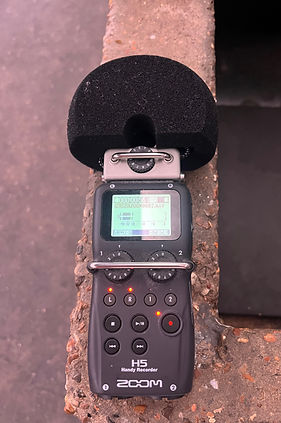
I found during my recordings that Zoom Recorders were the most reliable and effective tool for recording in all kinds of venues. You can pick up a basic H4n recorder second hand from £100 or a brand-new Zoom H6 from £260.
If you have access to multiple recorders, they can be used to record a multitrack which I have successfully done before in other forms of live recordings. For room recordings, these are valuable as they are portable, durable and don’t require additional cables wrapped around the venue. For crowd mics on stage, these prevent the need to use channels on the FOH desk if there is not enough available or if the mics can’t be independently recorded without going through the PA as well.
The standard stereo microphone capsule included is designed for high quality live recordings. The XY capsule design has 2 unidirectional microphones and captures a prominent center image and has great rejection to sound from behind and sides from the cardioid polar pattern created in this formation. They can be battery powered for portability or powered via a power point for extra reliability. They can supply 48V phantom power if condenser microphones are connected and record directly on to an SD card. When you connect the recorder to a computer or laptop, audio that is recorded onto the SD card can be directly transferred if the recorder is put into SD card reader function (the option will pop up once plugged into a computer). One important note to make is that the Zoom H5 recorder will have a notification to tell you to format an SD card before recording, however the H6 does not have that notification. To format an SD card, make sure any important files on it are backed up or cleared off and in the MENU of the recorder, scroll down to SD CARD and select format, which you will confirm by pressing YES. If you do not format the SD card, audio will still be recorded, however when it comes to transferring the audio off the SD to a computer, you will not be able to. The audio will only be played back on a Zoom recorder. I made this mistake at the Betty Taylor show as the Zoom H6 doesn’t remind me to do this and I was used to using the H5 and it reminding me.

Equipment
Once the venue has been chosen and the recording set up has been established here’s a few things to remember to confirm with the venue that may be supplied or that you will have to organise yourself (that may slip your mind):
-
USB or ethernet cables and/or USB and ethernet adapters to connect to your laptop from the FOH desk
-
An external drive (SSD) with enough storage to record directly on to and reduce storage pressure on your laptop
-
Any required drivers for your laptop when recording from a Digital FOH desk
-
A laptop charger and extra batteries (duh)
-
Additional microphones for crowd or room recording set ups
-
An interface with enough inputs for your recording format
-
SD cards for recorders with enough storage, double the expected file size is a good rule of thumb for choosing the right size SD card, the image above outlines how many megabytes are needed for different audio formats and run times

On The Night
When everything is planned and prepared for, the day of the show should run smoothly. Here are some other pointers that I learnt from my recordings to consider on the night.
Sound Check
-
Always be set up during load in and the record soundcheck
-
Ensure you are receiving all the sources you need
-
Check there is no unnecessary processing in your recording due to routing issues
-
Make sure the clock of the desk is functioning and not causing recording issues (speeding up/slowing down/glitching etc). The internal clock of a desk ensures that the timing of the sample rate (usually 44.1kHz or 48kHz) is followed precisely and universally across a venue system. I have had live recording issues in the past where the internal clock of a desk was malfunctioning and made it impossible to get a smooth recording, where the audio would speed up or slowdown as the internal clock would not maintain the same sample rate. Additionally, USB recording sticks might not be able to keep up with the processing speed required by the clock of a FOH desk and will cause cuts and jumps, which happened with Day We Ran’s first show.
-
Check the gain staging done by the engineer and make sure they know not to touch this after it is set as it will affect your recording. The engineer for Betty Taylor’s show unfortunately adjusted the gain of the acoustic guitar during the third song of the show during a quieter song instead of adjusting the fader, so when the acoustic guitar was played for the rest of the set with more intensity, it was clipping and distorting and was not corrected. You can hear the guitar become distorted at 28s in the clips below.
-
If recording a multitrack – check phasing, especially if you have overhead microphones on the drumkit or top and bottom snare mics. Phase is the relationship between audio waveforms, and when multiple sources are recording audio with identical harmonic information, the waveforms can cause destructive or constructive interference. If two microphones are recording a source, for example a snare drum from the top and bottom, a kick with kick in and kick out, or a bass amp microphone signal and bass DI, they can likely have an opposite polarity or off axis phase from each other based on their position which will cause phase interference. It could simply cause comb filtering or completely cancel out the sound. It is much easier to see the phase correlation rather than trying to listen in this environment compared to a studio.
Just like in a recording studio, you should always try and fix issues at the source and if phasing can be adjusted by moving microphones or the polarity can be flipped by the phase flip button on the desk, the FOH mix and your recording will instantly have more clarity. This was the case when I noticed the snare drum was mic’d up from the top and bottom for Day We Ran’s second show and the phase wasn’t flipped on the desk, and we were able to make that adjustment which even made a noticeable difference in the FOH sound! Always work with the engineer or venue technician to make any adjustments you would like to do.
During The Show
-
Constantly monitor the recording on the desk or laptop
-
Record all the way through the show. This was the technique I used for all 6 recordings for multiple reasons
-
Stopping and starting increases the chance for human error to mess up the recording
-
Not capturing moments in between the songs could result in some entertaining crowd interactions to be missed, like this example from Betty Taylor's show or like in the recording of Carolina at Day We Ran's show (in the more examples page). Mistakes can also happen when stopping and starting by jumping in after the start of an iconic intro or cutting off the energetic ending and crowd reaction at the end of a song.
-
-
Make sure you get a copy of the set list to make it easier and quicker to organise your session and label the tracks correctly, especially if your engineer mixing the recordings is not familiar with all the songs played on the night.
Conclusion
For gigs in venues of 50-400 people, being able to obtain the direct outs of the FOH desk (most likely via USB but possibly Dante as well) as a pre-fader multi-track (no effects or processing on the recorded audio) and record them into a DAW is the most reliable and consistently accessible option for artists and bands to record the microphone inputs. If the venue size permits, set up a stereo left and right microphone pair of cardioid condenser microphones to capture the crowd and if you’re playing a show with a larger crowd (300+) that is not in a pub venue, set up some zoom recorders as stereo room microphones where is most convenient and safe. Always record some form of backup audio if it is possible.